Every promise, kept.
Here’s how.
Recording and transcription are the easy half. Kept earns its place by checking each call against everything the project already agreed, then following through until it’s done.
Catch it before you hang up.
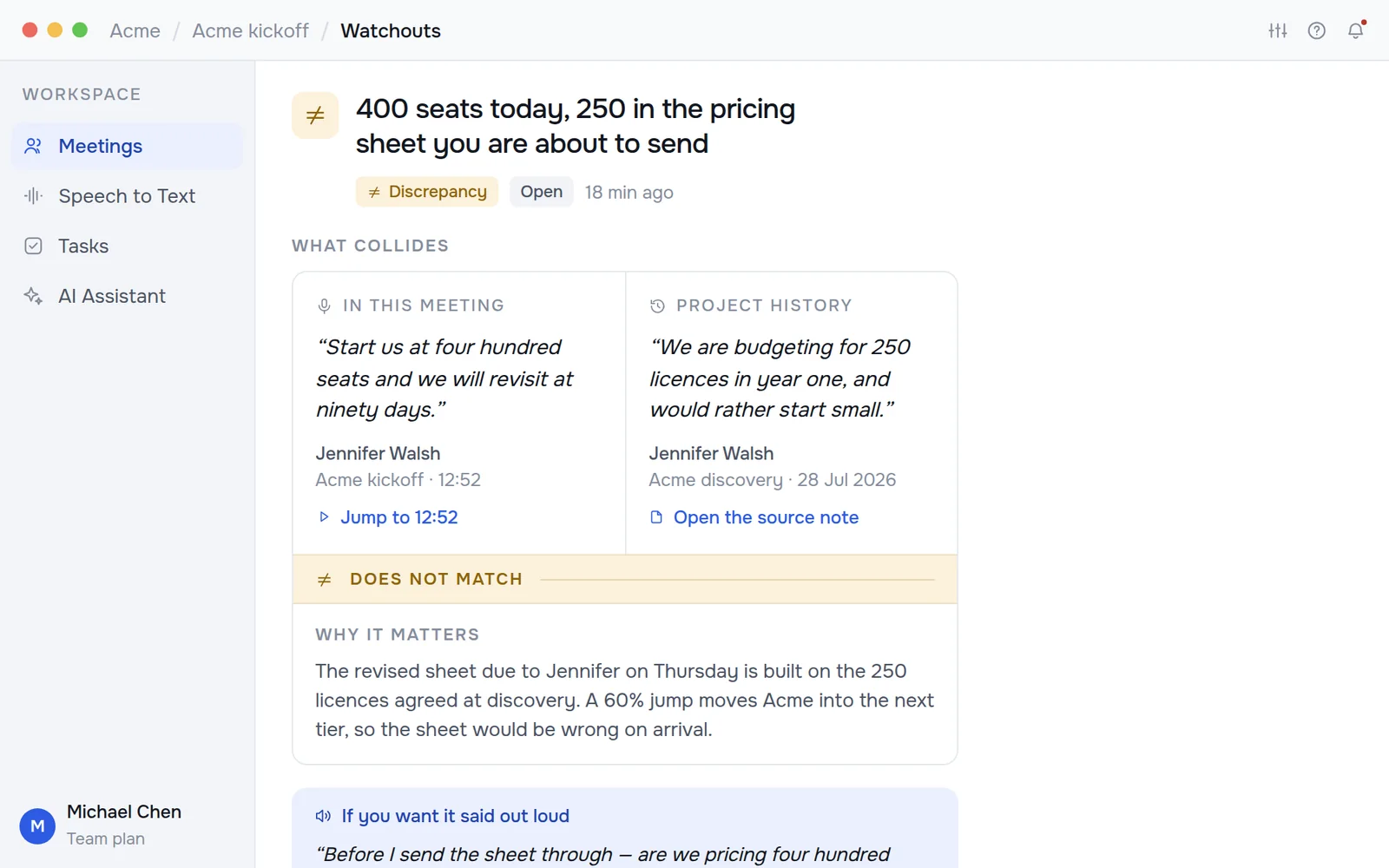
Kept reads today’s call against everything already on record for the project: earlier calls, the pricing sheet, the scope. When the two disagree it raises a watchout with the line from this call, the line it collides with, why it matters, and the wording to put it right in the room.
- Conflicts
Something agreed now contradicts something already agreed. The expensive kind.
- Discrepancies
Two numbers or terms that do not match: a seat count, a rate, a date.
- Open questions
A question asked on a call that nobody ever came back to answer.

One record per project.
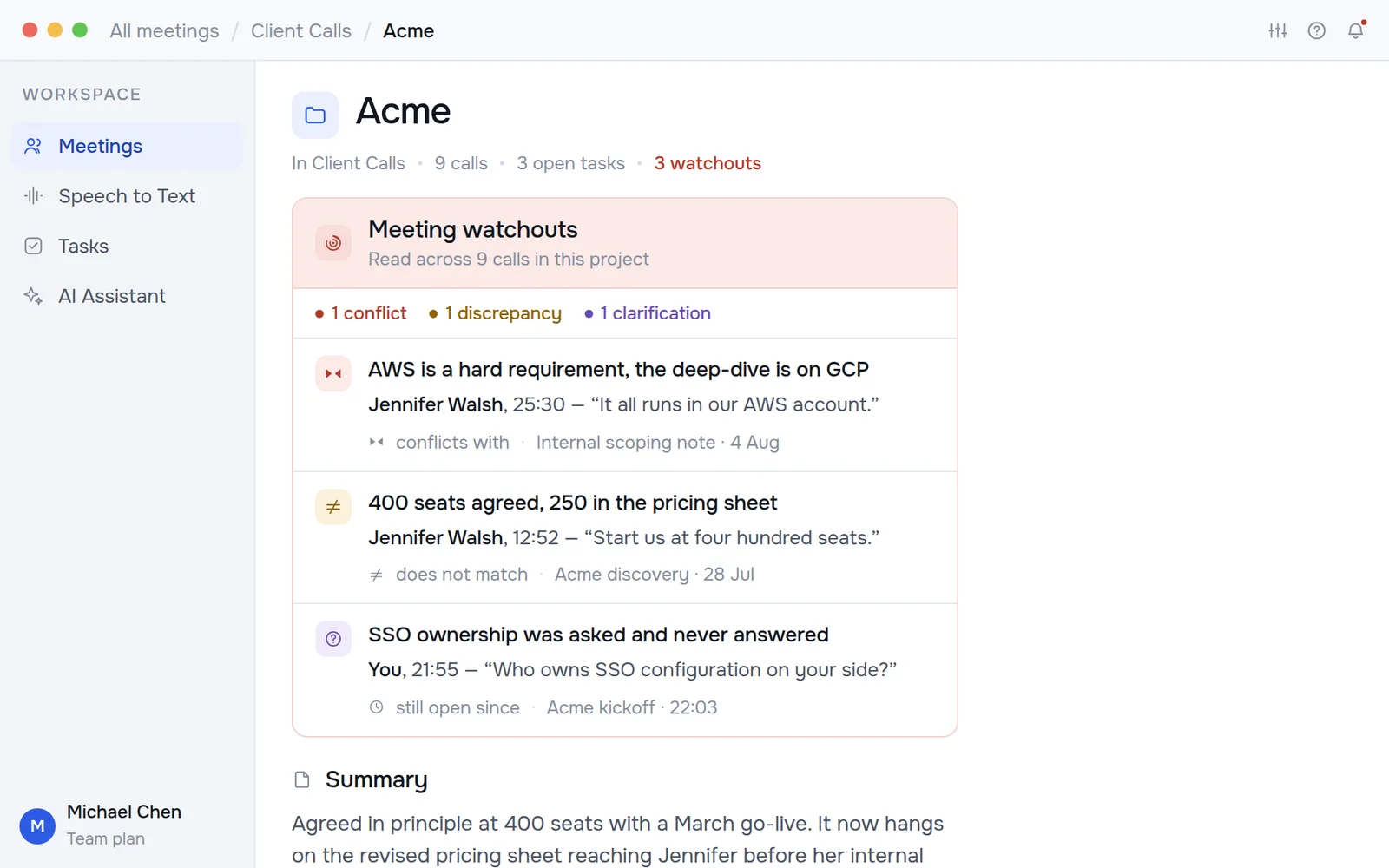
Meetings go into folders. A folder is a project, and it writes its own summary from every call filed into it. It is current the moment a call ends, with the decisions, the open questions and the tasks still outstanding underneath.
- Rolled-up summaries
One paragraph that says where the project actually stands, rewritten after every call.
- Sub-folders for workstreams
Client Calls › Acme › Migration. Each level rolls up into the one above it.
- Who owes what
Every commitment with its owner and date, pulled from the sentence that created it.

From said to done, with your OK.
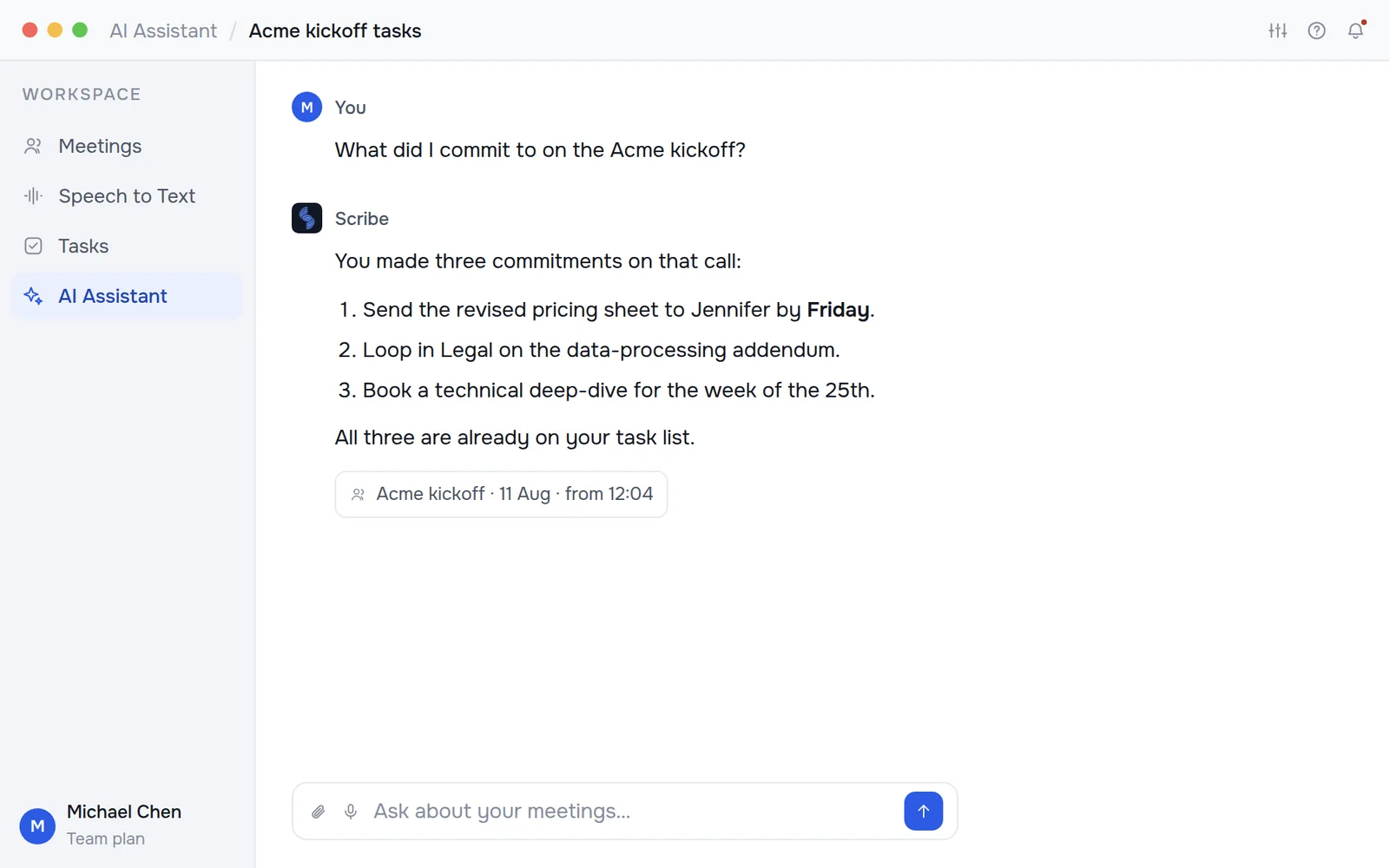
Ask Kept what you promised and it answers with the call and the minute. Ask it to act and it plans the steps, drafts the email, the invite or the ticket, and waits for you to approve. Nothing goes out in your name until you say so.
- Cited answers
“What did we commit to on Acme?” answered with the meeting and the timestamp attached.
- Drafts, never sends
Emails land in Gmail as drafts. Tickets and posts wait for your approval.
- Writes back to your tools
Jira, Slack, Google Docs, Confluence and any MCP server, once you switch them on.

Recorded, transcribed, and written up.
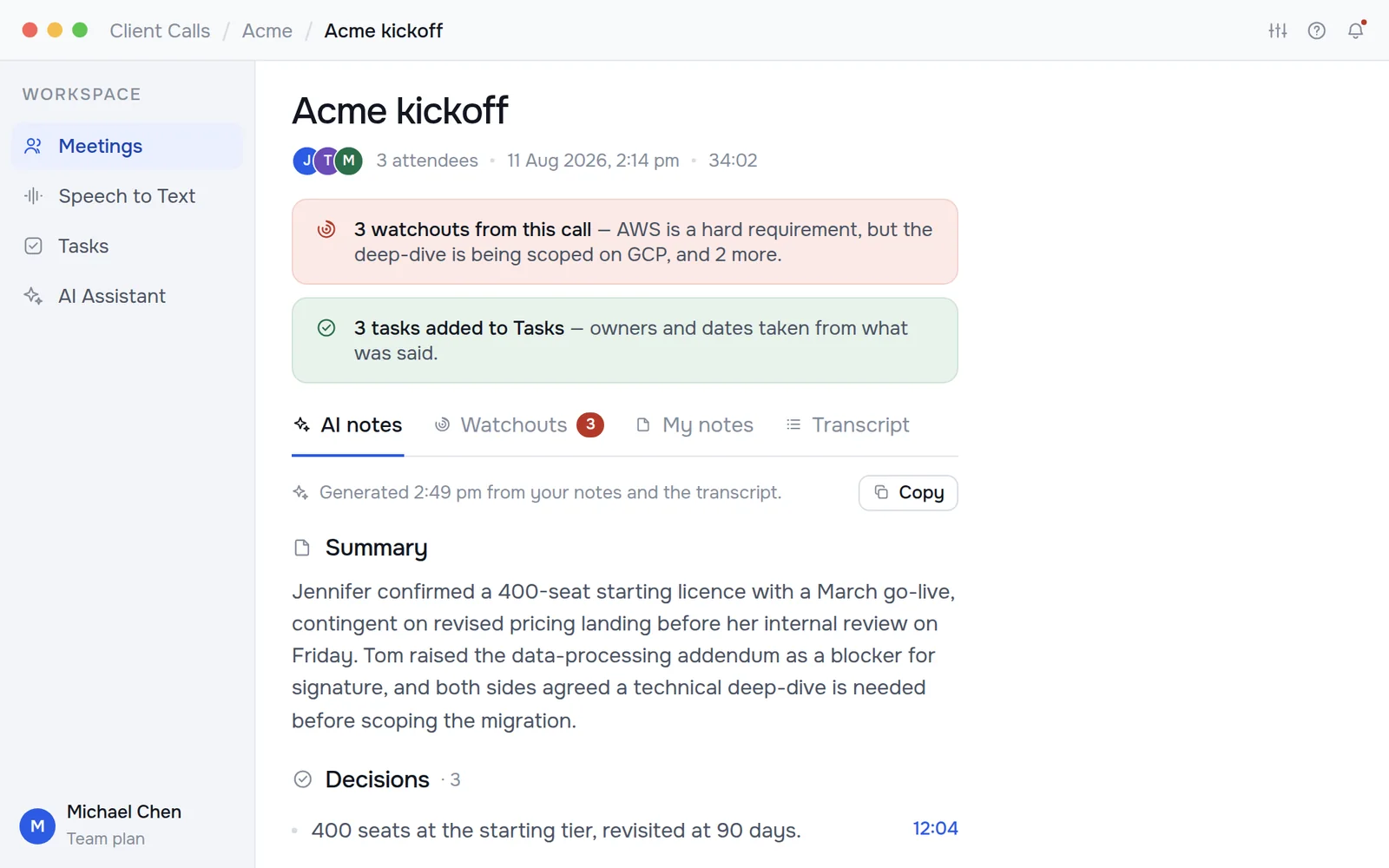
Start a recording from the app or the floating pill and Kept captures the call, labels who spoke, and produces the summary, the decisions and the open questions before you have left the meeting.
- Speaker-labelled transcripts
Every line timestamped and searchable, with a jump-back to the audio.
- Decisions, not paragraphs
The things that were actually settled, each with the moment it was settled.
- Your notes alongside
What you typed during the call sits next to what Kept heard.

Hold a key anywhere. Talk. Keep working.
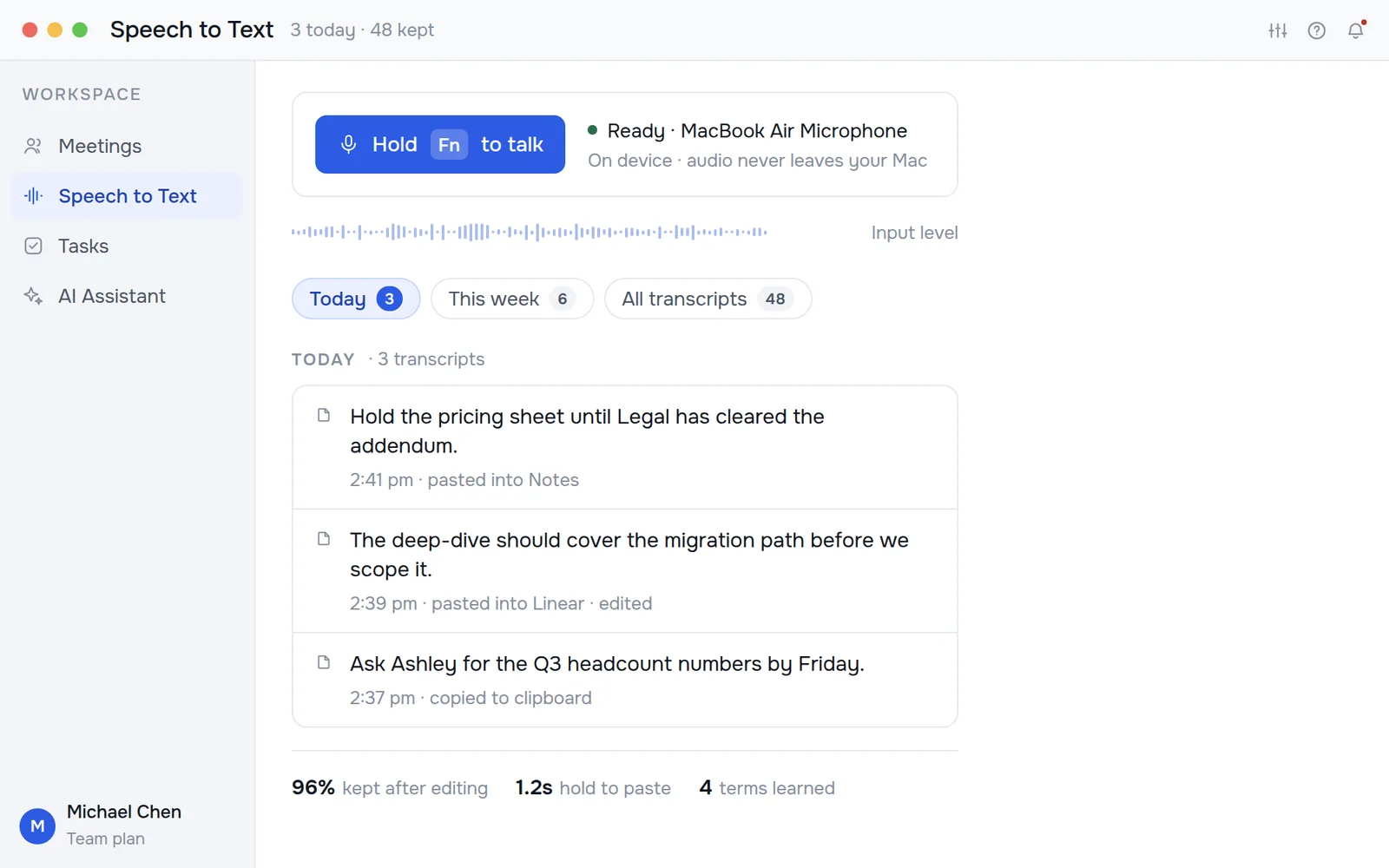
Dictation that is not an app you open. On Windows, macOS and Linux, hold your hotkey in any window, speak, release, and the text is at your cursor; on iOS and Android it lives in the keyboard and the share sheet. It runs on-device, so it works on a plane and nothing is uploaded to make it work.
- Any app, any field
Mail, Slack, a terminal, a form. If there is a cursor, the words land there.
- On-device by default
The Parakeet model runs locally, around 1.2 seconds from release to paste.
- A vocabulary that learns
Correct a name once and Kept stops getting it wrong, everywhere.

Small things that
save the afternoon.
Zoom, Meet, Teams, a phone on speaker, or the room.
Each answer names the call it came from. Ask it to act and it drafts the ticket or post for you to approve.
Pulled from the sentence that created them, not typed again.
One click to mail the write-up to everyone who was on the call.
Hours in meetings, words dictated, and what you keep correcting.
Markdown, plain text or a copy of the audio. Nothing is locked in.
Private by design,
and provably so.
Kept stores what it records on the device that recorded it. No bot joins the call, and anything that would send data somewhere else is a switch you have to find and turn on.
- On-device transcription
Dictation runs locally on the Parakeet model. It works with no internet at all, and nothing is uploaded to transcribe it.
- Nothing leaves by default
Cloud transcription and assistant replies are two separate switches. Both start off, and the app shows you which are live.
- Your data, deletable
Recordings, transcripts and tasks live in one folder on your device that you can open, export, or erase in a single action.
- No training on your calls
Your recordings are never used to train models, ours or anyone else’s. That is a contractual term, not a setting.
Try it on the call
you have after this one.
Free while in beta. Nothing to configure, nothing uploaded, and your notes are written before you stand up.
Get started free